xvoip.co.za

xVoIP Softphone

WebRTC Softphone for Chrome

Make and receive calls directly from your browser. Works with FreeSWITCH, Asterisk, and any PBX with WebSocket support.

Registered - 101
Enter number
1
2ABC
3DEF
4GHI
5JKL
6MNO
7PQRS
8TUV
9WXYZ
*
0+
#

Features

SIP Calling

Make and receive calls via secure WebSocket (WSS). Multi-line support with hold, transfer, and conference.

Call Recording

Record calls to WebM audio format. Auto-save to your Downloads folder with playback from call history.

Live Transcription

Real-time speech-to-text via Chrome's Web Speech API with speaker differentiation between local and remote voices.

AI Summarization

Generate call summaries from transcriptions. Supports Groq, OpenAI, and Anthropic AI providers.

Click-to-Dial

Automatic phone number detection on webpages. Click any number to dial instantly. Works with Salesforce, HubSpot, and more.

Privacy First *Third-party services: Speech-to-text uses Chrome's Web Speech API (Google). Optional AI summarization connects directly to your chosen provider (Groq, OpenAI, or Anthropic) using your own API key. Call audio is transmitted only to your configured SIP server.

All data stored locally on your device. We don't operate servers that collect your data. Your calls, recordings, and credentials stay private.

Quick Start Guide

1

Install the Extension

Install from Chrome Web Store
2

Pin the Extension

Click the puzzle icon in Chrome's toolbar and pin xVoIP for easy access.

3

Add Your SIP Account ?Default WebSocket ports:
FreeSWITCH: 7443
Asterisk: 8089

Port numbers vary by server configuration. Contact your VoIP provider or check your PBX settings for the correct WSS port.

Open Settings and enter your SIP server, extension, and password.

4

Start Calling

Click the xVoIP phone icon or any phone number on a webpage to dial.

Screenshots

See xVoIP Softphone in action

Dialpad

Clean, intuitive dialpad with quick access to all features

Main dialpad interface

Call Controls

Full call management with hold, mute, transfer, and conference

In-call controls

Live Transcription

Real-time speech-to-text with speaker identification
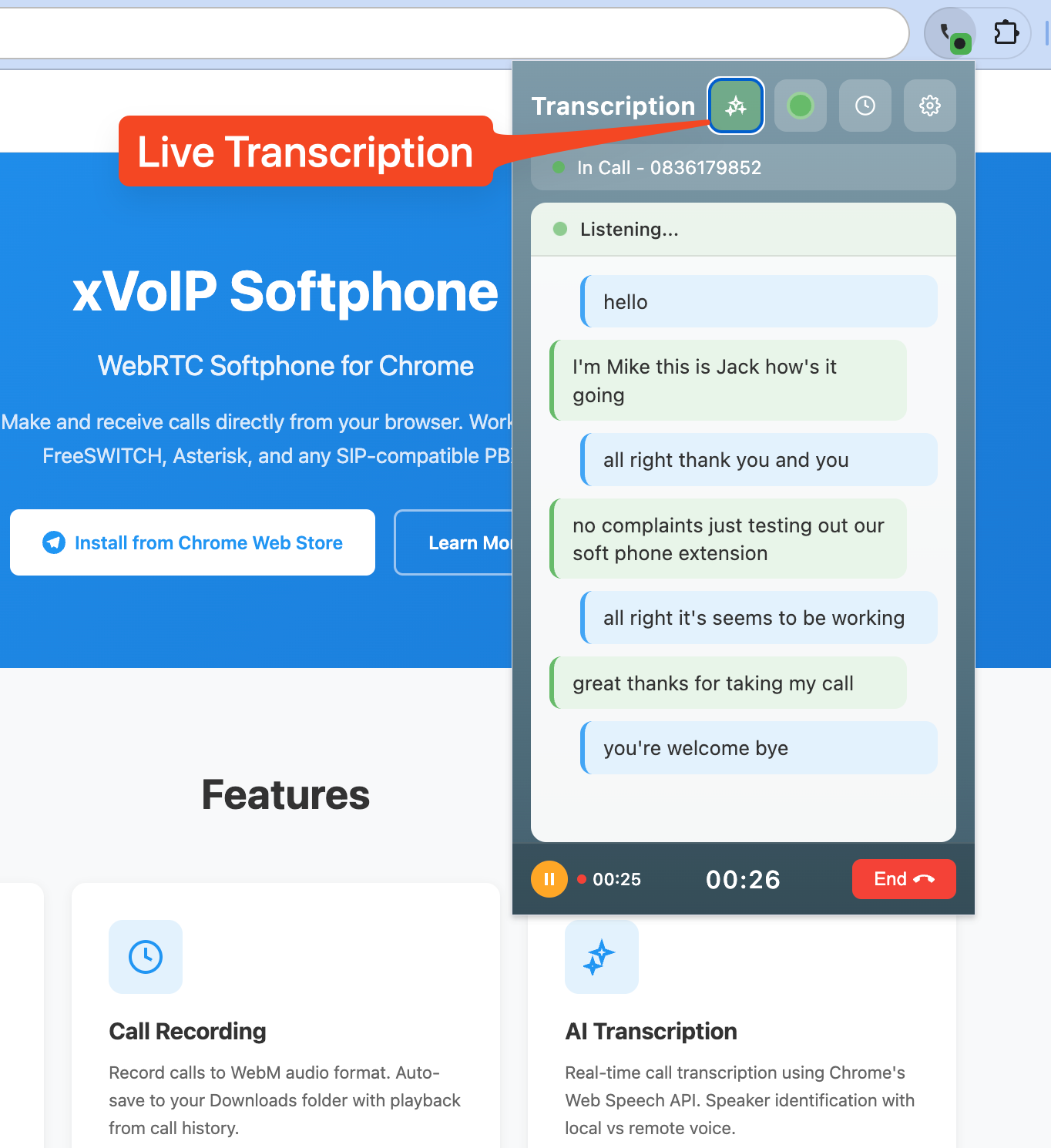
Live transcription

Call History

Browse and search your recent calls with one click redial
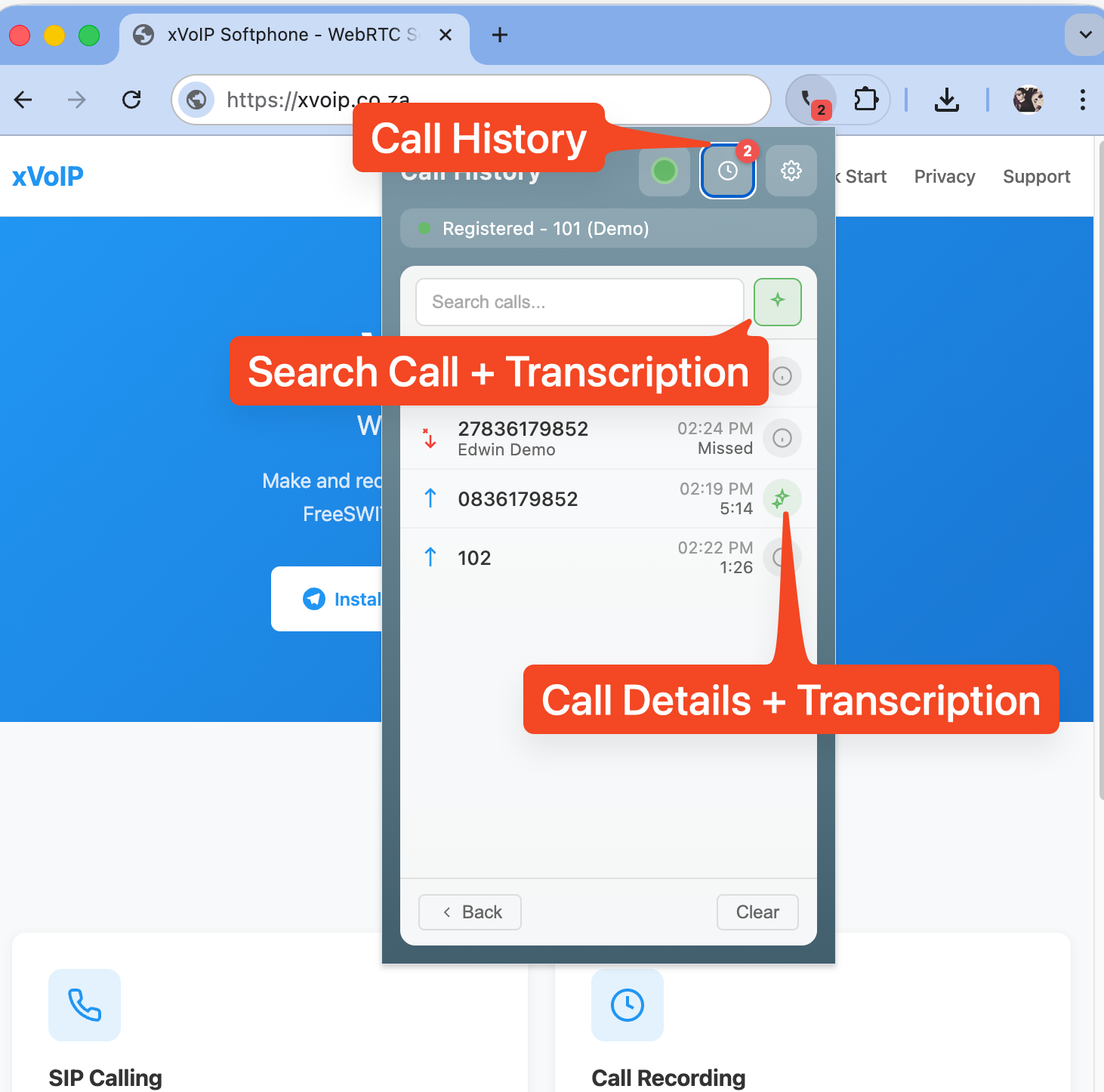
Call history

Call Details

View transcriptions, recordings, and AI summaries for each call
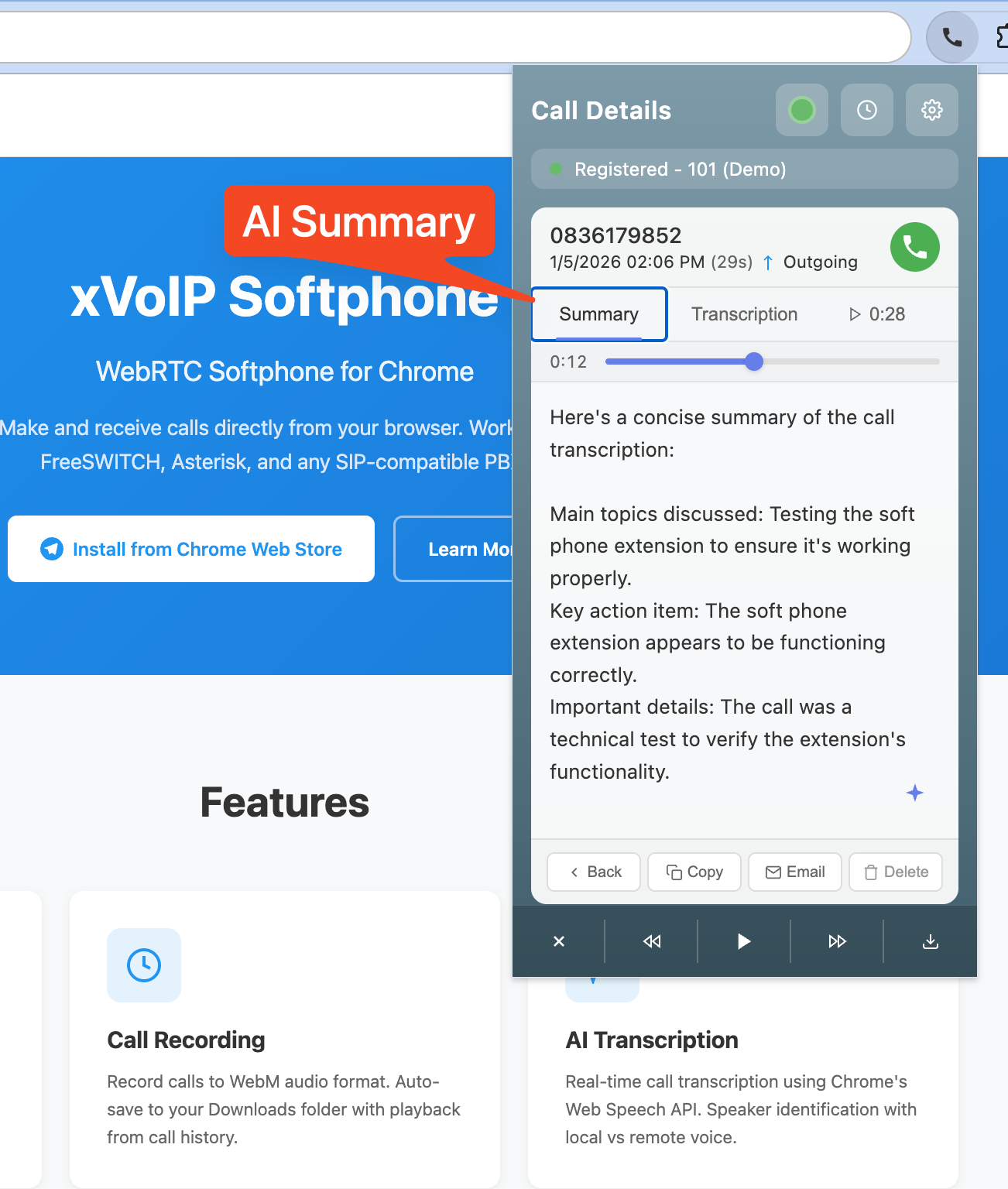
Call details with AI summary

Recording Playback

Listen to recordings with synchronized transcription
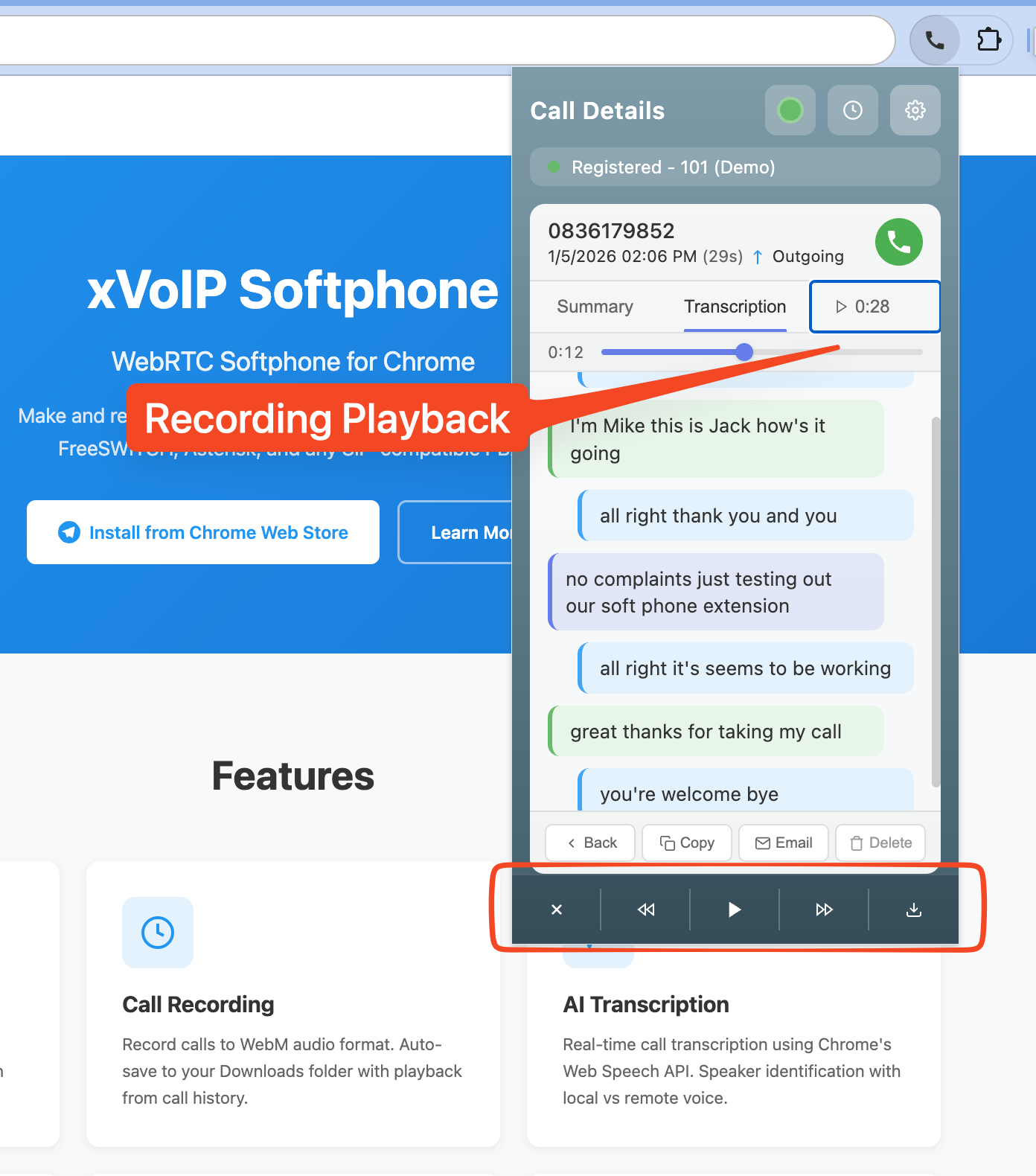
Recording playback

Click-to-Dial

Automatic phone number detection on any webpage
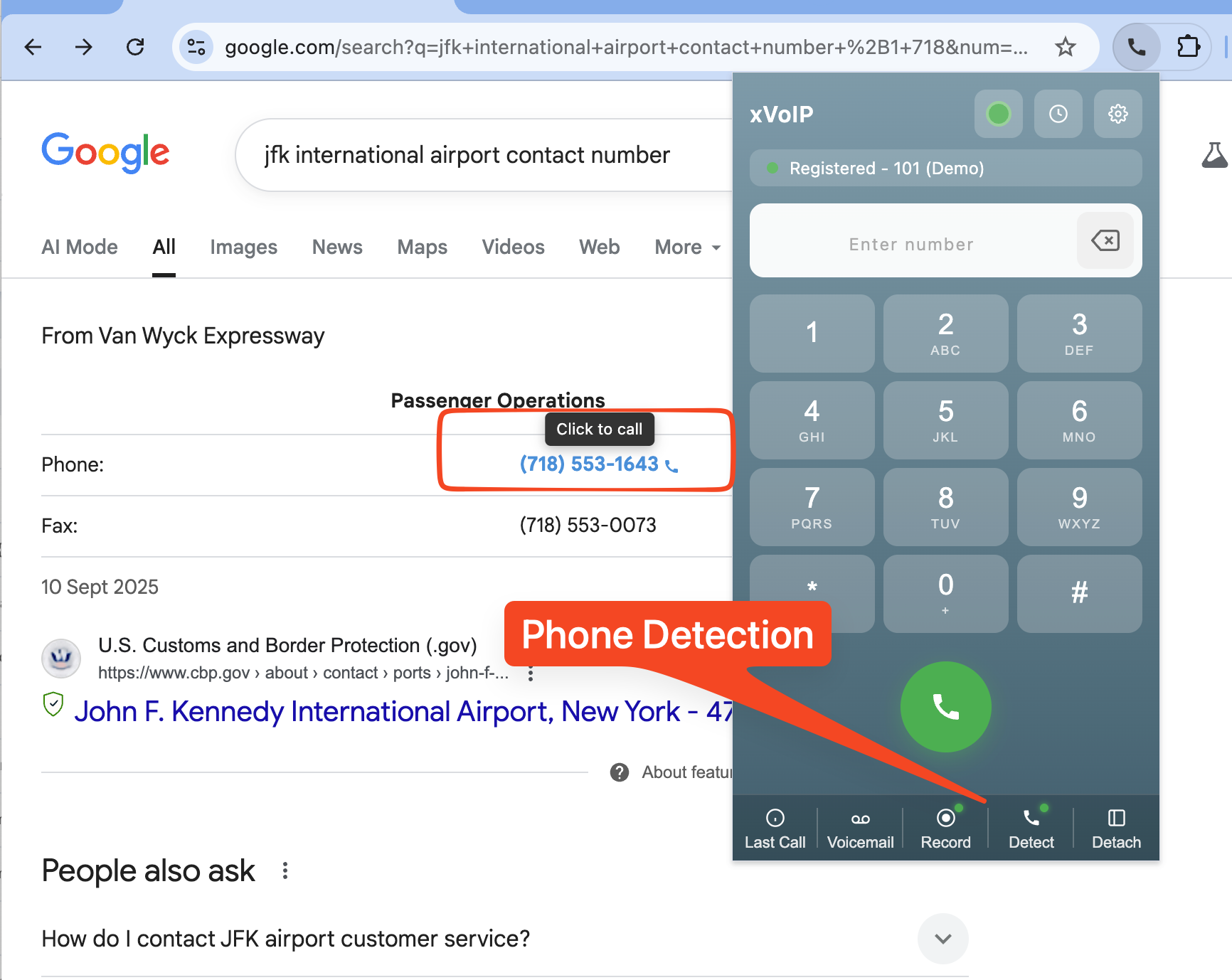
Phone detection

Settings

Configure your SIP account, audio devices, and AI providers
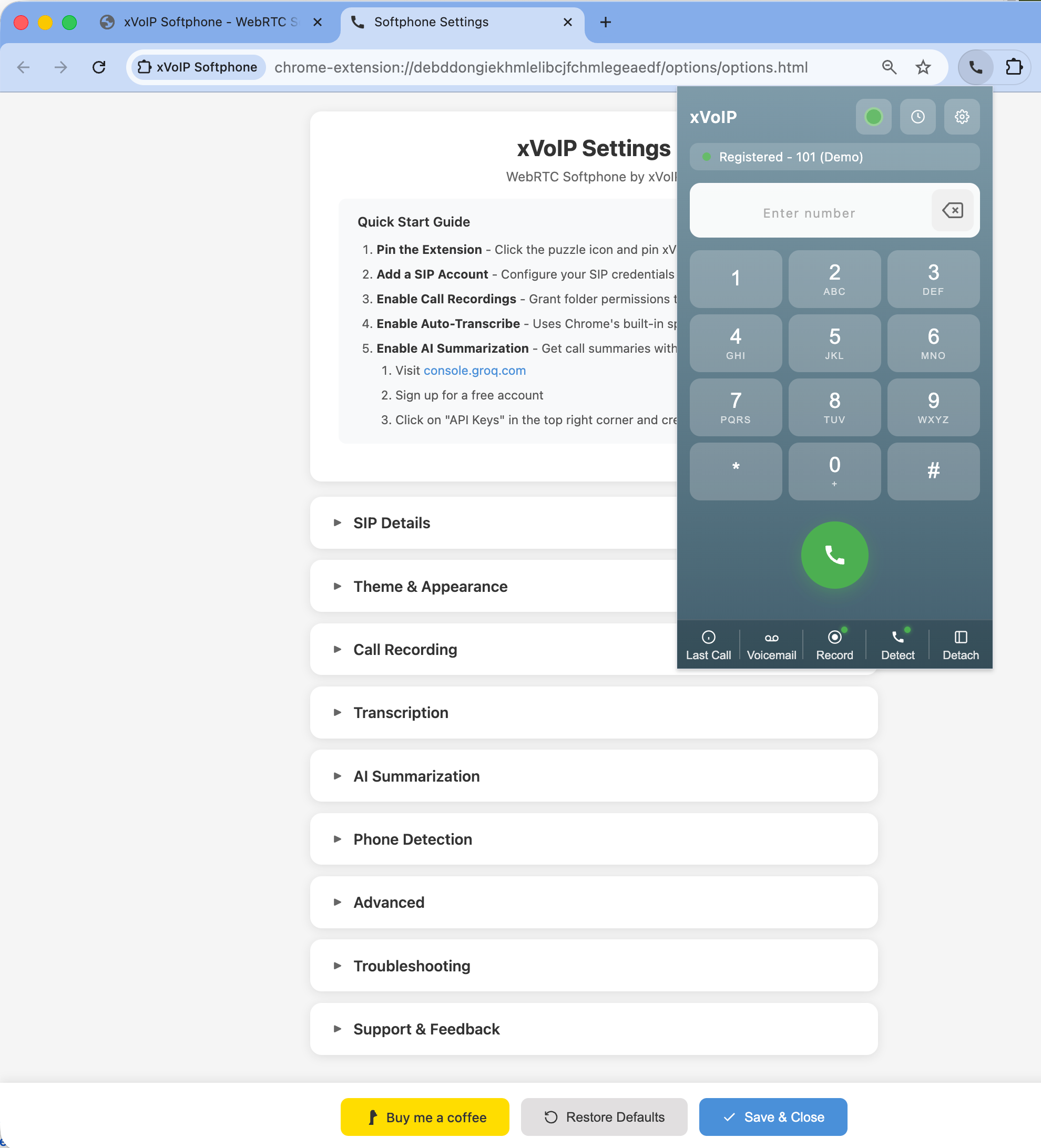
Settings panel

Support